


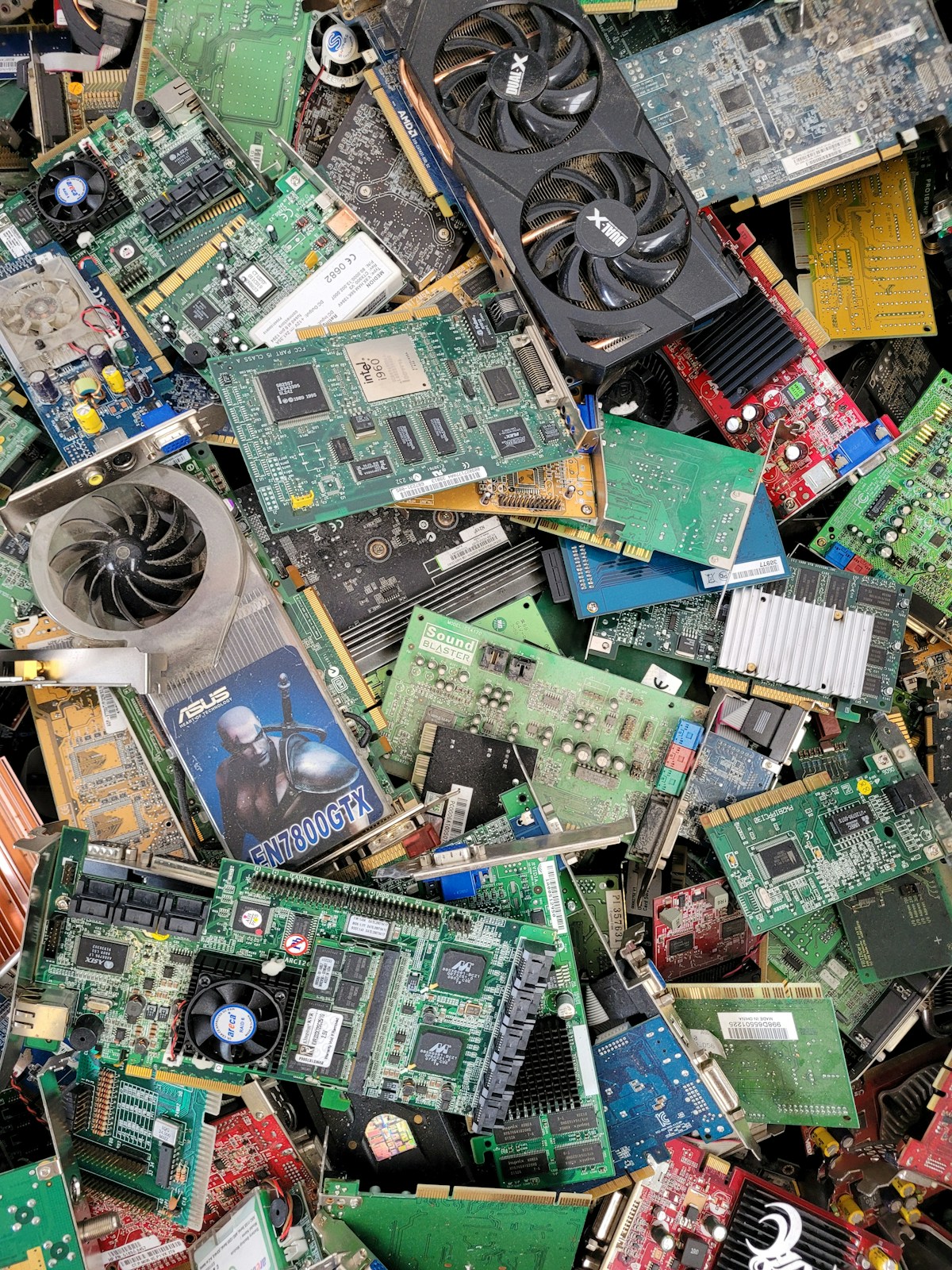
That drawer of old phones, the laptop under the bed, the console nobody plays. It's not junk. It's a holiday.
That sounds like a stretch, so let's do the maths. The average UK household has between 4 and 7 unused tech devices spread around the house. Not ancient relics from the 2000s — relatively recent phones, tablets, laptops, and consoles that got replaced, forgotten about, and left to gather dust.
Here is what those devices are typically worth right now.
| Device | Typical Condition | Estimated Value |
|---|---|---|
| Old iPhone (2-4 years old) | Working, some wear | £100-£300 |
| Old Samsung Galaxy (2-4 years old) | Working, some wear | £70-£220 |
| Old laptop (3-5 years old) | Working, battery tired | £50-£250 |
| Old iPad or tablet (2-4 years old) | Working, some scratches | £80-£200 |
| Old games console (PS4, Xbox One, Switch) | Working | £60-£150 |
| Old smartwatch | Working | £30-£100 |
| AirPods or wireless earbuds | Working with case | £20-£80 |
Add up three or four of those and you are looking at £300-£500 or more. That is a weekend away. A chunk off a holiday. A new piece of furniture. A meaningful amount of money that is currently depreciating inside your cupboards.
The problem is not that people don't want to sell. The problem is that selling one phone feels like a task, selling everything feels like a project, and "project" is the word that kills motivation. So everything stays in the drawer for another year, losing another 20-30% of its value.
This guide turns the project into a plan. A single afternoon, a systematic sweep of the house, and one shipment to a buyback service. By the end of it, you will have a clear number — the total value of your unused tech — and a simple path to turning it into cash.
Step 1: The Room-by-Room Tech Audit#
The first step is finding everything. Unused tech has a way of spreading across the house and being forgotten. This room-by-room checklist covers the most common hiding spots.
Bedroom#
- Bedside drawer. Old phones live here. The one you replaced six months ago, the one before that, and possibly the one before that.
- Under the bed or behind furniture. Old laptops, tablets, and chargers migrate here.
- Wardrobe shelves. People stash devices in boxes on high shelves and forget about them.
- Desk drawers. Old smartwatches, fitness trackers, wireless earbuds.
Living Room#
- TV unit. Old games consoles, streaming sticks, and controllers. Check behind the unit as well — old hardware gets pushed back there during upgrades.
- Sofa cushions. Not a joke. Old phones and remotes fall between cushions and stay there for months.
- Entertainment drawers. Old tablets, especially iPads that were replaced and became "the spare."
Kitchen#
- The junk drawer. Every kitchen has one. Old phones, old fitness trackers, charging cables, and sometimes entire tablets end up here.
- On top of the fridge or microwave. A surprisingly common resting place for devices that "need charging" and never got charged.
Home Office / Spare Room#
- Desk drawers. Old laptops, external drives, tablets used for work.
- Under the desk. Old desktop computers, monitors, docking stations.
- Filing cabinet or shelf. Phones and devices stored "for safekeeping" and forgotten.
Loft / Garage / Under the Stairs#
- Tech boxes. People keep the original boxes for their devices in the loft. Sometimes the device is still in the box.
- Old bags and backpacks. Check pockets. Old phones and tablets often travel into storage this way.
- Moving boxes. If you moved house in the last few years, there may be devices packed away that never got unpacked.
Children's Rooms#
- Old phones. Hand-me-down phones that children have since upgraded from.
- Old tablets. The family iPad that was replaced two Christmases ago.
- Old consoles. The Nintendo Switch or PS4 that lost out to a newer model.
- Old smartwatches or fitness bands. Kids cycle through these quickly.
"We see a lot of customers who start by selling one phone and then come back a week later with a laptop, a tablet, and a console they found while looking for the phone's charger. The best approach is to do one sweep and sell everything at once." — TechLoop
Step 2: Sort and Value Everything#
Once you have gathered everything onto one table (the dining table works well for this), sort the devices into three categories.
Category A: Definitely Worth Selling#
These are devices that are less than 6-7 years old, from recognisable brands, and in any condition from fully working to cracked but functional. Even broken devices in this category usually have value.
Phones: Any iPhone from the iPhone 11 onwards. Samsung Galaxy S22 onwards. Google Pixel 7 onwards. (Older iPhones: TechLoop can recycle them for free, but doesn't pay for them.)
Laptops: Any MacBook from 2018 onwards. Any Windows laptop from 2019 onwards with an Intel i5/i7/Ryzen 5 or better processor. Gaming laptops from the last 5 years.
Tablets: Any iPad from the 7th generation (2019) onwards. Google Pixel Tablet.
Consoles: PlayStation 4, PlayStation 5, Xbox One, Xbox Series S/X, Nintendo Switch (all models).
Wearables: Apple Watch Series 4 onwards. Samsung Galaxy Watch from 2020 onwards. AirPods (any generation with charging case). Galaxy Buds.
Category B: Might Be Worth Selling#
These are devices on the edge. They might have some value, but it depends on the specific model and condition. The quickest way to check is to get an instant quote on TechLoop — it takes 30 seconds and costs nothing.
Phones: iPhones 6S to iPhone 7. Samsung Galaxy models from 2017-2018. Budget phones from recognisable brands that are 3-5 years old.
Laptops: Windows laptops from 2016-2018 with decent specs. Older MacBooks from 2015-2017 (these often surprise people with their remaining value).
Tablets: Older iPads (5th and 6th generation). Samsung tablets from 2018-2019.
Consoles: PlayStation 3, Xbox 360 (limited value but some demand).
Category C: Not Worth Selling#
Be honest with yourself about this category. Some devices genuinely have no resale value, and the effort of listing or posting them is not worth the return.
Phones: Feature phones. Smartphones older than 2016. Budget phones from unknown brands. Phones that are completely dead with no way to power them on and no brand value.
Laptops: Anything from before 2015. Netbooks. Chromebooks older than 4 years (though recent Chromebooks can have value).
Tablets: Generic Android tablets from unknown brands. Amazon Fire tablets older than 3 years (these have very low resale value even when new).
Peripherals: Wired mice, keyboards, webcams, old printers, generic cables, old routers. These have effectively zero resale value.
Other: Old fitness trackers from defunct brands (Jawbone, Pebble). Old smart home devices from discontinued product lines.
For Category C devices, your best options are council electronics recycling, charity donation (some charities accept working tech), or retailer take-back schemes.
Step 3: The Quick Value Check#
For everything in Category A and B, you need actual numbers. Here is a quick-reference table of typical values for the most commonly found devices in a UK household clearout. These are buyback prices — what you'll actually receive, not retail prices.
Phones#
| Device | Good Condition | Fair/Worn | Cracked/Faulty |
|---|---|---|---|
| iPhone 15 (128GB) | £380-£440 | £300-£350 | £140-£190 |
| iPhone 14 (128GB) | £280-£350 | £210-£260 | £90-£140 |
| iPhone 13 (128GB) | £200-£260 | £150-£200 | £60-£100 |
| iPhone 12 (64GB) | £110-£150 | £80-£110 | £35-£60 |
| iPhone 11 (64GB) | £70-£100 | £50-£70 | £20-£40 |
| Samsung Galaxy S24 (128GB) | £300-£370 | £230-£280 | £100-£150 |
| Samsung Galaxy S23 (128GB) | £200-£270 | £160-£210 | £70-£110 |
| Samsung Galaxy S22 (128GB) | £130-£180 | £100-£140 | £40-£70 |
| Google Pixel 8 (128GB) | £180-£240 | £140-£180 | £60-£90 |
| Google Pixel 7 (128GB) | £100-£150 | £80-£110 | £30-£55 |
Laptops#
| Device | Good Condition | Fair/Worn | Faulty |
|---|---|---|---|
| MacBook Air M2 (2022) | £450-£550 | £350-£420 | £150-£250 |
| MacBook Air M1 (2020) | £300-£380 | £230-£290 | £100-£180 |
| MacBook Pro 14" M1 Pro | £550-£700 | £420-£520 | £200-£300 |
| Windows Ultrabook (2-3 years, i7) | £200-£350 | £150-£250 | £60-£130 |
| Windows Laptop (3-5 years, i5) | £80-£180 | £50-£120 | £25-£70 |
| Gaming Laptop (2-3 years) | £300-£550 | £220-£400 | £100-£200 |
Tablets and Consoles#
| Device | Good Condition | Fair/Worn |
|---|---|---|
| iPad Pro 11" (M2, 2022) | £350-£450 | £270-£340 |
| iPad Air (M1, 2022) | £250-£320 | £190-£250 |
| iPad 10th Gen (2022) | £180-£230 | £140-£180 |
| iPad 9th Gen (2021) | £130-£170 | £100-£130 |
| Samsung Galaxy Tab S8 | £180-£250 | £140-£190 |
| PlayStation 5 (Disc) | £220-£280 | £170-£220 |
| PlayStation 5 (Digital) | £170-£220 | £130-£170 |
| PlayStation 4 Pro | £100-£140 | £70-£100 |
| PlayStation 4 Slim | £80-£110 | £55-£80 |
| Xbox Series X | £200-£260 | £150-£200 |
| Xbox Series S | £100-£140 | £70-£100 |
| Nintendo Switch OLED | £150-£200 | £110-£150 |
| Nintendo Switch (Original) | £100-£140 | £70-£100 |
Wearables and Audio#
| Device | Good Condition | Fair/Worn |
|---|---|---|
| Apple Watch Ultra (1st Gen) | £250-£320 | £190-£250 |
| Apple Watch Series 8 | £120-£160 | £90-£120 |
| Apple Watch Series 7 | £80-£120 | £60-£90 |
| Apple Watch SE (2nd Gen) | £70-£100 | £50-£70 |
| AirPods Pro (2nd Gen) | £50-£75 | £35-£50 |
| AirPods (3rd Gen) | £35-£55 | £20-£35 |
| Samsung Galaxy Watch 5 | £60-£90 | £40-£60 |
| Samsung Galaxy Buds 2 Pro | £30-£50 | £18-£30 |
These are estimates. For exact prices, get a quote on TechLoop. Prices update in real time based on market demand.
Step 4: The Bundling Strategy#
Now that you have a pile of devices and rough values for each, the smartest approach is to sell everything through a single service in one go. Here is why.
One service, one shipment, one payment#
Selling five devices to five different places means five quotes, five packaging sessions, five trips to the post office (or five courier pickups), and five separate payments arriving at different times. The administrative overhead kills motivation and wastes time.
Using a single buyback service like TechLoop means you get quotes for everything, pack it all in one box, use one free prepaid postage label (valid for 7 days), and receive one payment when everything is assessed. The entire process takes an afternoon of prep and then 3-5 days of waiting.
No negotiation, no haggling#
If you sell privately — eBay, Facebook Marketplace, Gumtree — you need individual listings for every device, individual conversations with potential buyers, and individual negotiations. For a single high-value phone, that might be worth the effort. For five devices at various price points, it is a full-time job for a weekend.
Buyback services give you a fixed price. Accept or decline. No back-and-forth.
Consistent assessment standards#
Every device you send to TechLoop is assessed against the same criteria by the same team. You know exactly how condition is graded, and if any device comes in at a different condition than you described, you get a revised offer — accept it or have the device returned free of charge. There's no risk.
"A tech clearout is the most efficient way to sell with us. Customers who sell 3-5 devices at once typically walk away with £400-£700 — and the entire process, from getting quotes to receiving payment, takes less than a week." — TechLoop
Step 5: Prepare Everything in One Session#
Don't prepare one device, sell it, then prepare the next one weeks later. Set aside an hour on a Saturday afternoon and process everything at once.
The preparation checklist (per device)#
For every phone and tablet:
- Back up any data you want to keep (photos, contacts, messages).
- Sign out of your Apple ID / Google account / Samsung account.
- Turn off Find My iPhone / Find My Device.
- Remove the SIM card and any memory card.
- Factory reset the device.
- Give it a quick wipe with a cloth.
For every laptop:
- Back up any files you want to keep to an external drive or cloud storage.
- Sign out of iCloud (Mac) or Microsoft account (Windows).
- Deauthorise any licensed software (Adobe, Microsoft Office, etc.).
- Factory reset. On Mac: restart holding Command+R, Disk Utility, Erase, then Reinstall macOS. On Windows: Settings > System > Recovery > Reset this PC > Remove Everything.
- If you have the charger, include it. If not, the laptop can still be sold — you do not need the original accessories.
For every console:
- Sign out of your PlayStation Network / Xbox Live / Nintendo account.
- Deactivate the console as your primary console (this is important — it prevents the buyer from accessing your digital purchases).
- Factory reset the console.
- Include the power cable and at least one controller if you have them.
For wearables and earbuds:
- Unpair the device from your phone (this is essential for Apple Watch — unpairing also erases the watch).
- Sign out of any accounts.
- Factory reset.
- Include the charging cable/dock if you have it.
For detailed instructions on data wiping, see our complete device preparation guide.
TechLoop performs a certified GDPR-compliant data wipe on every device received, so your data is erased regardless. But doing it yourself first is good practice and speeds up the assessment process.
Step 6: Package and Ship#
Once everything is prepared and you have accepted your quotes on TechLoop, package everything into one box.
Packaging tips for multiple devices#
- Use a single sturdy box. A medium-sized moving box or a large shoe box works well for most clearouts.
- Wrap each device individually. Use bubble wrap, old t-shirts, socks, or newspaper. The goal is to stop devices touching each other and absorbing shocks.
- Put heavier items at the bottom. Laptops and consoles go in first. Phones and earbuds go on top.
- Fill gaps with packing material. Scrunched newspaper, old clothing, or packing peanuts. Nothing should shift when you give the box a gentle shake.
- Seal it securely. Use proper packing tape, not sellotape.
Print the free prepaid postage label (valid for 7 days) from TechLoop, attach it to the box, and either drop it at a Post Office, Collect+ point, or arrange a courier pickup from your door.
That's it. One trip, one box, one clearout.
Making It a Family Activity#
This works surprisingly well as a family project, especially with teenagers in the house.
The pitch: "Let's see how much unused tech we have in the house, and whoever finds the most valuable device they forgot about gets to choose what the family does with a portion of the money."
Why it works: Everyone has old tech. Teenagers especially cycle through phones, consoles, and earbuds quickly and tend to forget about the old ones. Getting the whole household involved means you find devices you didn't even know existed.
The practical version: Give everyone 20 minutes to search their room and bring everything to the kitchen table. Look up the value of each device together. Let each person "claim" the value of the devices they found in their room and decide what to do with their share.
Some families put the total towards a day out or a holiday fund. Others let each person keep the value of what they found. Either way, it turns a chore into something mildly competitive and genuinely rewarding.
One practical note: if children are under 18, the sale needs to be handled by an adult. But the searching, gathering, and valuing is something everyone can participate in.
What's Genuinely Not Worth Selling#
Honesty matters here. Not everything in your clearout has value, and spending time trying to sell worthless devices is time you could spend enjoying the money from the devices that do have value.
Devices with zero or near-zero resale value#
- Phones from before 2015. The iPhone 5S, Samsung Galaxy S5, and their contemporaries are genuinely past their useful life for resale. Some recycling value remains, but cash value is negligible.
- Generic Android tablets. Those £50-£80 tablets from brands you've never heard of had minimal value when new and have none now.
- Old printers. Nobody wants your old inkjet printer. Nobody has ever wanted your old inkjet printer.
- Wired peripherals. Old mice, keyboards, webcams, and USB hubs from before 2020 have no meaningful resale market.
- Old routers. Your ISP's router from three contracts ago is not worth anything. Return it to the ISP or recycle it.
- Severely water-damaged devices. If a device was submerged and hasn't worked since, the internal corrosion likely means even the components are compromised. This is one of the few situations where recycling is the only option.
- Devices locked to unknown accounts. An iPhone permanently locked to someone else's iCloud account (common with second-hand purchases from years ago) has very limited value because it cannot be unlocked.
What to do with unsellable devices#
- Council recycling. Most local councils accept electronics at household waste recycling centres. It is free and ensures the materials are recovered properly.
- Retailer take-back. Currys, Apple, Samsung, and other retailers accept old electronics for recycling regardless of where you bought them.
- Charity donation. Organisations like the British Heart Foundation and Oxfam accept working tech. Some specialist charities refurbish old laptops for schools and community groups.
- Small WEEE recycling. Under UK WEEE regulations, any shop that sells electrical equipment is required to take back old equipment of the same type free of charge.
A Realistic Clearout Example#
To show what this looks like in practice, here is a real-world scenario based on what a typical UK household might find.
The Williams family clearout#
Found in the house:
| Device | Where Found | Condition | Estimated Value |
|---|---|---|---|
| iPhone 13 (128GB) | Mum's bedside drawer | Good, minor wear | £200-£240 |
| iPhone 11 (64GB) | Dad's desk drawer | Fair, scratched back | £50-£70 |
| Samsung Galaxy S21 (128GB) | Teenager's wardrobe shelf | Good, in case | £80-£120 |
| MacBook Air 2020 M1 | Under spare bed | Working, battery at 78% | £300-£360 |
| iPad 9th Gen (64GB) | Living room entertainment unit | Good, screen protector on | £130-£160 |
| PlayStation 4 Slim | Under the TV, unplugged | Working, dusty | £80-£100 |
| Apple Watch Series 6 | Kitchen junk drawer | Working, no strap | £70-£100 |
| AirPods Pro (1st Gen) | Coat pocket in the hallway | Working, with case | £30-£45 |
Total estimated value: £940-£1,195
Category C (not worth selling):
- iPhone 5S from 2014 (recycled)
- Amazon Fire tablet 7" from 2019 (donated to charity)
- Old Sky router (returned to Sky)
- Tangled pile of Lightning cables and micro-USB cables (recycled)
The Williams family spent about 45 minutes finding everything, 90 minutes preparing all devices (factory resets, signing out of accounts), and 15 minutes packaging. They received payment four days later.
That is two and a half hours of work for nearly a thousand pounds. Even at the low end of the estimates, that is over £300 per hour for their time.
The Depreciation Clock Is Ticking#
The single most important thing to understand about a tech clearout is that waiting costs you real money.
Every device in your house is losing value. Not slowly, not someday — right now, this month, measurably.
| Device Age | Annual Depreciation Rate | Monthly Value Loss |
|---|---|---|
| 1-2 years old | 25-35% per year | 2-3% per month |
| 3-4 years old | 15-25% per year | 1.5-2% per month |
| 5-6 years old | 10-15% per year | 1-1.5% per month |
| 7+ years old | 5-10% per year (approaching floor) | 0.5-1% per month |
For the Williams family example above, every month they waited before selling would have cost them roughly £20-£35 in lost value across all their devices. Six months of procrastination would have cost £120-£210.
The devices are not going to become more valuable. The used market is not going to suddenly start paying more for older phones and laptops. The trajectory only goes one direction.
"The best time to do a tech clearout was six months ago. The second best time is this weekend. Every device in your drawer is worth less than it was last month and more than it will be next month." — TechLoop
Your Weekend Clearout Plan#
Here is the entire process condensed into a practical timeline.
Saturday Morning (30-45 minutes): Find Everything#
Walk through every room using the checklist above. Bring everything to one table. Sort into Category A, B, and C.
Saturday Afternoon (15-20 minutes): Get Quotes#
Go to TechLoop and get an instant quote for each Category A and B device. Write down the quote next to each device. Add up the total.
Saturday Afternoon (60-90 minutes): Prepare Devices#
Work through the preparation checklist for every device you are selling. Back up, sign out, reset. Assembly line it — do all the backups first, then all the sign-outs, then all the resets.
Saturday Evening (15 minutes): Package and Label#
Wrap each device, pack them in one box, print the free postage label (valid for 7 days), seal the box.
Sunday or Monday: Post It#
Drop the box at a Post Office or Collect+ point on your way to work or during a weekend errand. Or schedule a courier pickup from home.
Within the Week: Get Paid#
TechLoop inspects all devices within 1–2 working days of them arriving and sends payment by bank transfer the same working day. You receive the combined total for all devices in one payment.
Total time invested: roughly 2-3 hours. Total value recovered: potentially hundreds of pounds.
That is the best hourly rate you will earn this year for something this easy. The only thing standing between you and the money is the decision to start.
Get your first instant quote on TechLoop and see what that drawer full of old tech is actually worth.