


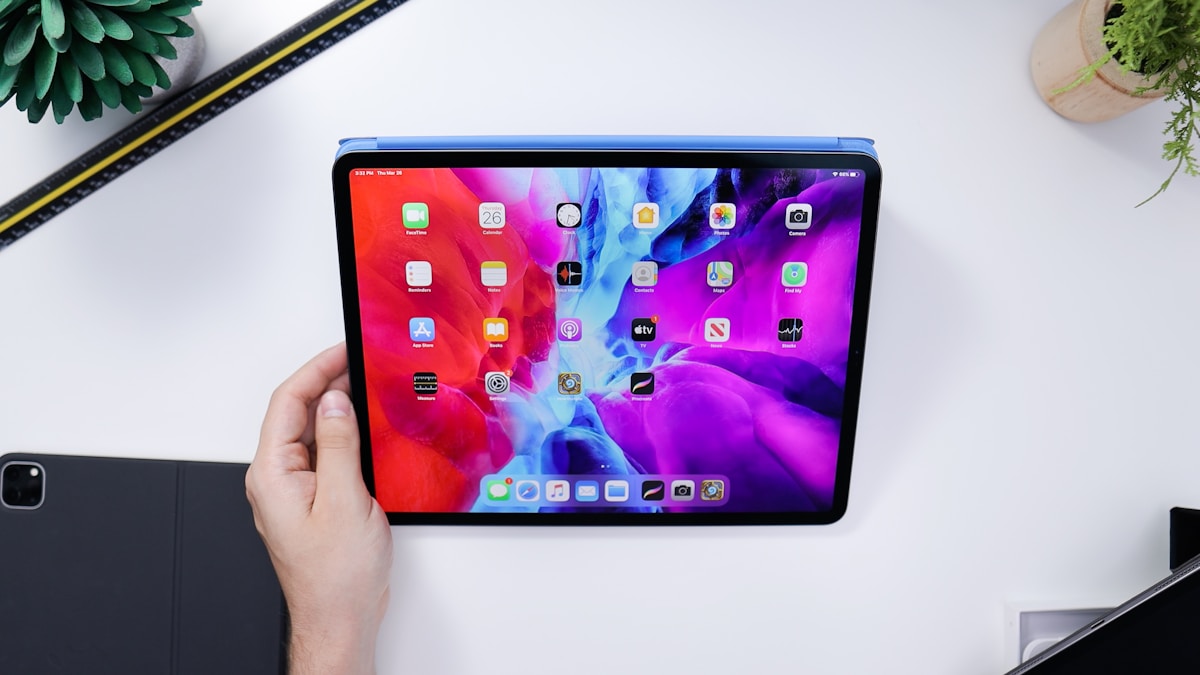
That iPad gathering dust in your kitchen drawer? Even if it is from 2017, someone wants it. Here is what it is actually worth — and how to get the best price for it in the UK.
Most people assume old iPads are worthless. The screen is a bit sluggish, it cannot run the latest apps, and Apple has probably stopped sending software updates. So it sits there, wedged between takeaway menus and a phone charger you no longer use, slowly losing whatever value it has left.
Here is the surprising truth: iPad Air 2s from 2014 still sell for £30-60 because schools and businesses buy refurbished tablets in bulk. Your newer iPad is worth considerably more. And the longer you leave it in that drawer, the less you will get for it.
This guide covers every iPad model from the Air 2 onwards, with realistic UK price ranges, what affects your iPad's value, and how to get the best possible offer.
Why Old iPads Hold Their Value#
iPads depreciate more slowly than almost any other consumer electronics product. There are three reasons for this, and none of them are marketing spin.
The Education Market Is Enormous#
Schools across the UK buy iPads by the hundreds — sometimes thousands. They do not need the latest model. They need something durable, manageable through MDM (mobile device management) software, and cheap enough to justify the budget. A refurbished iPad from 2019 ticks every box.
This creates sustained demand for older models long after Apple has moved on to the next generation. That demand keeps prices higher than you would expect.
Apple Build Quality Is Genuinely Superior#
Say what you want about Apple's pricing, but their hardware lasts. An iPad from 2017 with a cracked screen can be repaired and resold. The aluminium chassis does not warp or flex like plastic alternatives. The battery chemistry holds up better over time. Refurbishers know this, which is why they are willing to pay for old stock.
The Ecosystem Lock-In Works Both Ways#
Millions of people are invested in the Apple ecosystem — apps they have purchased, iCloud storage, Apple Pencil accessories. When a family needs a second tablet for the kids or a spare for the kitchen, they are far more likely to buy a cheap refurbished iPad than switch to Android. This keeps the secondhand market active.
What Your iPad Is Actually Worth#
Here is a model-by-model breakdown with realistic UK price ranges as of early 2026. These reflect what buyback services and resellers actually pay, not the optimistic estimates you see on forum posts.
Condition key: Good means fully functional with minor cosmetic wear. Fair means functional but with visible scratches, dents, or battery wear. Poor means cracked screen, faulty buttons, or significant damage but still powers on.
iPad (Standard Model)#
| Model | Year | Good | Fair | Poor |
|---|---|---|---|---|
| iPad 5th Gen | 2017 | £35-55 | £20-35 | £10-20 |
| iPad 6th Gen | 2018 | £45-70 | £30-45 | £15-25 |
| iPad 7th Gen | 2019 | £60-90 | £40-60 | £20-35 |
| iPad 8th Gen | 2020 | £80-120 | £55-80 | £30-50 |
| iPad 9th Gen | 2021 | £110-160 | £75-110 | £40-65 |
| iPad 10th Gen | 2022 | £170-240 | £120-170 | £60-100 |
iPad Air#
| Model | Year | Good | Fair | Poor |
|---|---|---|---|---|
| iPad Air 2 | 2014 | £30-60 | £15-30 | £5-15 |
| iPad Air 3rd Gen | 2019 | £90-140 | £60-90 | £30-50 |
| iPad Air 4th Gen | 2020 | £150-220 | £100-150 | £50-80 |
| iPad Air 5th Gen | 2022 | £210-300 | £150-210 | £70-120 |
| iPad Air M2 | 2024 | £300-420 | £220-300 | £120-180 |
iPad Pro#
| Model | Year | Good | Fair | Poor |
|---|---|---|---|---|
| iPad Pro 10.5" | 2017 | £70-110 | £45-70 | £25-40 |
| iPad Pro 11" (1st) | 2018 | £120-180 | £80-120 | £40-70 |
| iPad Pro 11" (2nd) | 2020 | £180-260 | £120-180 | £60-100 |
| iPad Pro 11" (3rd) | 2021 | £250-350 | £170-250 | £80-140 |
| iPad Pro 11" (4th) | 2022 | £330-450 | £230-330 | £110-180 |
| iPad Pro 12.9" (3rd) | 2018 | £150-220 | £100-150 | £50-85 |
| iPad Pro 12.9" (4th) | 2020 | £220-310 | £150-220 | £70-120 |
| iPad Pro 12.9" (5th) | 2021 | £300-420 | £210-300 | £100-170 |
| iPad Pro 12.9" (6th) | 2022 | £400-550 | £280-400 | £140-220 |
| iPad Pro M4 (2024) | 2024 | £500-700 | £350-500 | £180-280 |
iPad Mini#
| Model | Year | Good | Fair | Poor |
|---|---|---|---|---|
| iPad Mini 4 | 2015 | £30-50 | £15-30 | £5-15 |
| iPad Mini 5th Gen | 2019 | £80-120 | £50-80 | £25-45 |
| iPad Mini 6th Gen | 2021 | £180-260 | £120-180 | £60-100 |
These are ranges, not guarantees. Your specific price depends on the factors covered in the next section. The fastest way to find out what your iPad is worth is to get a quote on TechLoop — it takes about thirty seconds and you are not committed to anything.
What Affects Your iPad's Value#
Not all iPads of the same model are worth the same amount. Here are the factors that move the price up or down.
Storage Capacity#
This is the single biggest variable after model and condition. A 256GB iPad Pro is worth significantly more than the 64GB version of the same model and year. Higher storage models were more expensive new, and buyers — especially businesses deploying tablets at scale — prefer more storage.
| Storage | Typical Price Uplift |
|---|---|
| 32GB | Baseline |
| 64GB | +£10-20 |
| 128GB | +£25-50 |
| 256GB | +£50-90 |
| 512GB | +£80-140 |
| 1TB+ | +£120-200 |
Cellular vs WiFi-Only#
Cellular models consistently sell for £20-50 more than their WiFi-only equivalents. This is true even though many buyers never activate the cellular connection. The hardware itself is worth more because it contains additional components — a SIM card tray, cellular modem, and GPS chip that the WiFi-only model lacks.
If you are unsure whether yours is cellular, check the back. Cellular models have a plastic antenna strip near the top and a SIM card tray on the side.
Screen and Body Condition#
This is where the biggest price drops happen. A pristine screen versus a cracked screen can be the difference between £200 and £60 on a recent iPad Pro.
- Pristine / Like New: No visible marks. Commands the highest price.
- Good: Light scratches visible under direct light, minor edge wear. Typical for a device used with a case.
- Fair: Noticeable scratches, small dents, or moderate edge wear. Fully functional.
- Poor: Cracked screen, deep scratches, dents, or other significant cosmetic damage.
Even poor-condition iPads have value. Refurbishers replace screens routinely, and the internal components — logic board, battery, speakers — are worth recovering.
Battery Health#
iPads do not show battery health percentages the way iPhones do (unless you check through third-party apps or diagnostics). However, if your iPad shuts off unexpectedly, drains in a couple of hours, or will not charge past 80%, the battery is degraded and this will reduce the offer.
That said, battery replacement on iPads is a standard refurbishment step, so even degraded batteries do not kill the value entirely.
Apple Pencil Support#
This does not change the value of the iPad itself, but it is worth knowing: if your iPad supports Apple Pencil and you have one, sell them together. An Apple Pencil 1st generation in good condition adds £20-30, and a 2nd generation adds £40-60.
Activation Lock#
This is critical. If Find My iPad is still enabled and linked to your Apple ID, the device is effectively unsellable to any reputable buyer. It cannot be set up by a new owner without your credentials. Always sign out of iCloud and disable Find My before selling. We cover exactly how to do this below.
Where to Sell Your iPad in the UK#
You have several options, each with genuine trade-offs.
| Option | Typical Price | Speed | Effort | Risk |
|---|---|---|---|---|
| TechLoop | High | Same working day as inspection | Low — get quote, post free, get paid | Very low |
| Apple Trade-In | Low-Medium | Instant (as credit) | Low | None |
| CeX (in-store) | Medium | Instant (as voucher) or lower (as cash) | Medium — travel to store, queue | Low |
| eBay / Facebook | Highest (sometimes) | 1-2 weeks | High — photos, listing, shipping, disputes | High |
| Gumtree / local sale | Variable | Variable | Medium — meetups, haggling | Medium |
The Case for Buyback Services#
Selling on eBay or Facebook Marketplace can occasionally net you more money, but it comes with real costs: your time photographing and listing, the risk of buyer disputes and returns, platform fees (eBay takes around 12.8%), and the hassle of packaging and posting.
For most people, a buyback service like TechLoop hits the sweet spot: a competitive price, no listing hassle, free postage, and payment the same working day your device is inspected. You also get a 14-day price lock, which means the quote you accept today is guaranteed for two weeks while you post your device.
Apple Trade-In#
Apple's programme is convenient if you are buying a new iPad and want to reduce the cost. But the credit offered is usually below market value. Apple's priority is selling you a new device, not giving you the best price for your old one.
CeX#
CeX is a solid option if you want instant cash and there is a store nearby. The trade-off is that their cash price is lower than their store-credit price, and the credit only spends at CeX.
How to Prepare Your iPad for Sale#
Getting your iPad ready takes about ten minutes and protects both your data and your sale price. Do these steps in order.
Step 1: Back Up Anything You Want to Keep#
If there are photos, notes, or app data you want to preserve, back up now.
- iCloud backup: Settings > [Your Name] > iCloud > iCloud Backup > Back Up Now.
- Computer backup: Connect to a Mac or PC, open Finder (macOS) or iTunes (Windows), and create a local backup.
Step 2: Sign Out of iCloud#
This is the most important step. Go to Settings > [Your Name] > scroll to the bottom > Sign Out. Enter your Apple ID password when prompted. Choose whether to keep a copy of your data on the device (it does not matter — you are wiping it next).
Step 3: Disable Find My iPad#
This usually happens automatically when you sign out of iCloud, but verify it. Go to Settings > [Your Name] > Find My > Find My iPad. Make sure it is turned off. If it is still on, the buyer cannot activate the device.
Step 4: Unpair Apple Watch or Apple Pencil#
If you have an Apple Pencil paired, go to Settings > Bluetooth, tap the info icon next to Apple Pencil, and tap Forget This Device.
Step 5: Factory Reset#
Go to Settings > General > Transfer or Reset iPad > Erase All Content and Settings. The iPad will take a few minutes to wipe and restart to the setup screen.
Step 6: Remove the SIM Card (Cellular Models Only)#
Use a SIM ejector tool or a straightened paperclip. Press it into the small hole on the side of the iPad to pop the SIM tray. Remove your SIM card and keep it or dispose of it securely.
Step 7: Clean It Up#
A quick wipe with a microfibre cloth goes further than you would think. Buyers and inspectors notice presentation. Remove any cases or screen protectors — the device is being assessed on its own condition, not the state of its accessories.
For a more detailed walkthrough that covers other devices too, see our full device preparation guide.
Common Mistakes That Cost You Money#
These are the errors we see most often, and every one of them either delays payment or reduces the offer.
Leaving Find My iPad Enabled#
We cannot stress this enough. A device locked to your Apple ID is essentially a paperweight to anyone else. Every reputable buyback service will either reject it or hold it until you remotely remove the lock, which delays your payment.
Overstating the Condition#
Be honest about the condition of your device. If you describe it as "good" and it arrives with a cracked screen, the offer will be revised downward and you will have wasted time. TechLoop's grading system is transparent — you can see exactly what each grade means before you commit.
Waiting Too Long#
iPad values drop steadily over time, with sharper drops around new iPad announcements (usually March or October). The iPad sitting in your drawer right now is worth less than it was six months ago, and it will be worth less again in six months. If you are going to sell, sell now.
Forgetting Accessories#
Including the original charger and cable does not usually increase the offer from buyback services, but it can make a difference if you are selling privately. Check whether the buyer wants accessories included.
Not Checking Multiple Quotes#
Prices vary between services. Even a five-minute comparison can save you £20-30. Get a quote on TechLoop and compare it with what you see elsewhere. We are confident in our pricing, but we would rather you checked than take our word for it.
Why Your Old iPad Deserves Better Than a Drawer#
There is something oddly human about keeping old tech. It feels wasteful to sell it for less than you paid. It feels risky to trust a stranger with your data. It feels like too much effort for what it is worth.
But here is the reality: your iPad's value is declining every month. The data concern is solved in ten minutes with a factory reset. And with a service like TechLoop, the effort is genuinely minimal — get a quote, accept it, post it for free, get paid the same working day it is inspected.
That iPad was useful to you once. It can be useful to someone else — a student, a small business, a family who cannot justify buying new. Selling it is the rational choice and, if you care about waste, the responsible one too.
What Happens After You Sell#
If you sell through TechLoop, the process looks like this:
- Get a quote: Tell us the model, storage, and condition. You get an instant price.
- Post it free: We send you a prepaid shipping label. No cost to you.
- We inspect it: When it arrives, we check it matches the description. If it does, we pay you the quoted price. If the condition is different, we send a revised offer — you can accept it or have the device returned free of charge.
- Paid the same working day: Once confirmed, payment is sent by bank transfer the same working day.
- Your data: We perform a GDPR-compliant data wipe on every device we receive, regardless of whether you have already reset it. Your data is gone.
The whole process, from getting a quote to receiving payment, typically takes 3-5 days including postage.
The Bottom Line#
Your old iPad is not worthless. Even models from 2014 and 2015 have real market value thanks to sustained demand from schools, businesses, and budget-conscious buyers. Newer models — especially iPad Pros and iPad Airs with higher storage — are worth hundreds of pounds.
The smartest move is to sell sooner rather than later, be honest about the condition, and compare a few quotes before committing. TechLoop's instant quote tool is a good place to start — thirty seconds, no obligation, and you will know exactly where you stand.
That drawer has enough stuff in it already.